
Managing your money starts with knowing where it goes. Whether you’re trying to cut back on unnecessary spending, save for a big goal, or simply understand your financial habits, an expense tracker app is one of the most powerful tools you can put on your Android phone.
Expense tracker apps remove the guesswork from budgeting. Instead of vaguely wondering where your paycheck disappeared, you get a clear, real-time picture of every dollar you spend — broken down by category, date, and pattern.
Financial advisors consistently emphasize that tracking expenses is the single most effective first step toward better money management, because you can’t change behavior you can’t see.
In this guide, we’ll cover the best expense tracker apps for Android, from clean beginner-friendly tools to full-featured budget planners — so you can find the one that actually fits how you handle money.
Why Use an Expense Tracker App on Android?
A good expense tracker does more than log purchases. The right Android budget app helps you:
- See exactly where your money goes each month
- Categorize spending across food, transport, bills, entertainment, and more
- Set budgets and get alerts before you overspend
- Spot recurring expenses you’ve forgotten about
- Build better saving habits through consistent tracking
- Prepare accurate reports for tax season or financial planning
The best apps make logging fast enough that you’ll actually do it — because an expense tracker only works if you use it consistently.
You can track everyday expenses like:
- Groceries and dining out
- Transport and fuel
- Subscriptions and recurring bills
- Shopping and impulse buys
- Rent, utilities, and household costs
- Medical expenses and insurance
Now let’s look at the top expense tracker apps for Android.
Top 5 Best Expense Tracker Apps for Android
1. BudgetIt — Expense Tracker & Budget Planner
Google Play: Download BudgetIt
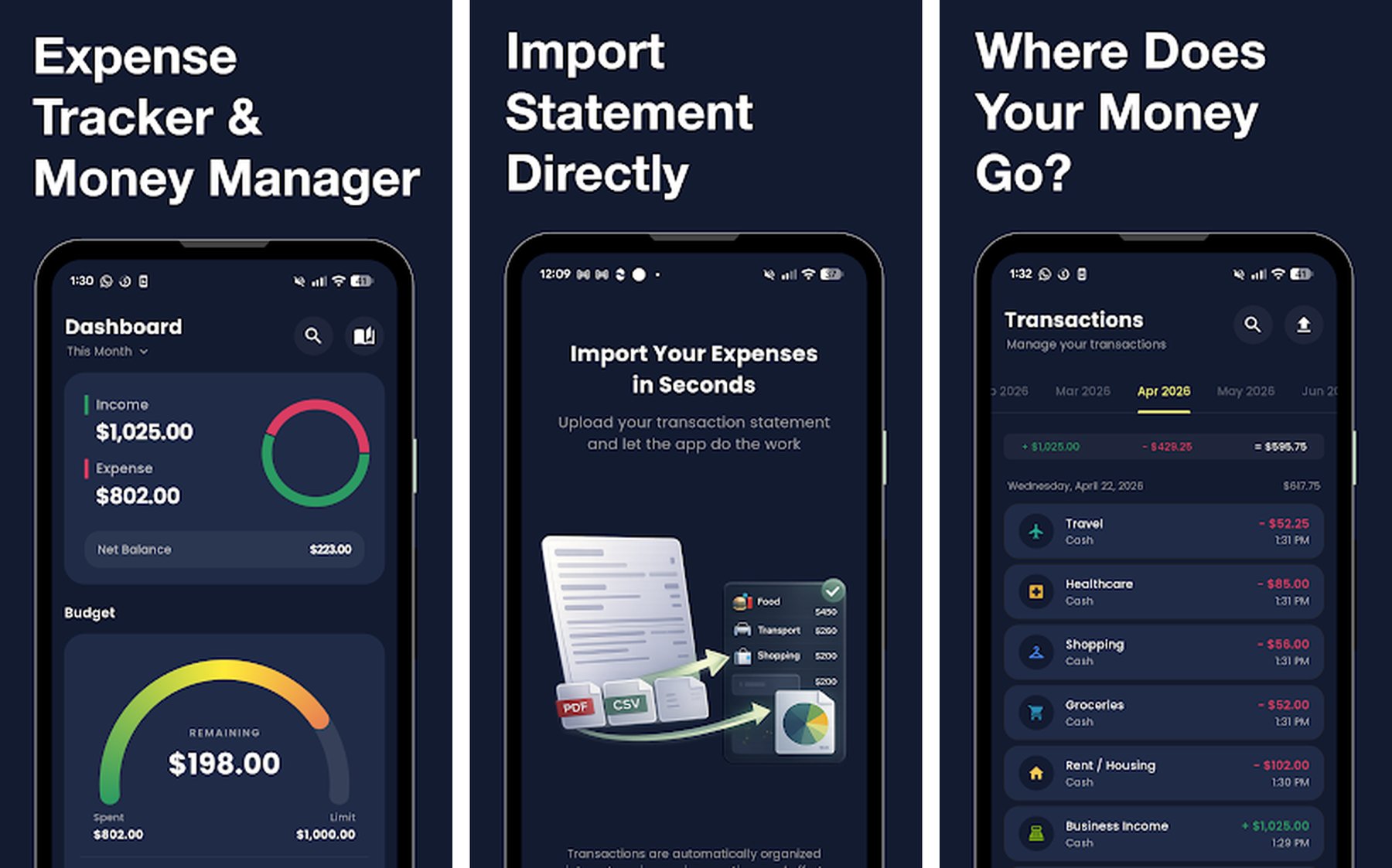
BudgetIt is a clean and intuitive expense tracker built for Android users who want a fast, focused way to manage their budget without drowning in complexity.
Designed around the idea that budgeting should take seconds, not minutes, BudgetIt lets you log expenses with a single tap, track your monthly budget in real time, and see visual spending breakdowns — all inside a minimal interface that gets out of your way.
Key Features
- One-tap expense logging with category selection
- Real-time budget tracking with visual progress bars
- Spending breakdown by category with clear charts
- Custom budget limits per category
- Monthly overview and historical spending trends
- Clean, distraction-free interface designed for daily use
- No account required — start tracking immediately
Why BudgetIt Stands Out
Most expense trackers try to be everything at once — bank syncing, investment tracking, multi-currency support — and end up feeling overwhelming for everyday use. BudgetIt takes the opposite approach.
It focuses on the core loop that actually builds financial awareness: log an expense, see your budget update, understand where you stand. That simplicity makes it the easiest app on this list to stick with long term.
Best For
- People new to expense tracking who want a low-friction start
- Android users who prefer clean, minimalist finance apps
- Anyone building a daily habit of logging their spending
2. Wallet: Budget Expense Tracker
Google Play: Download Wallet
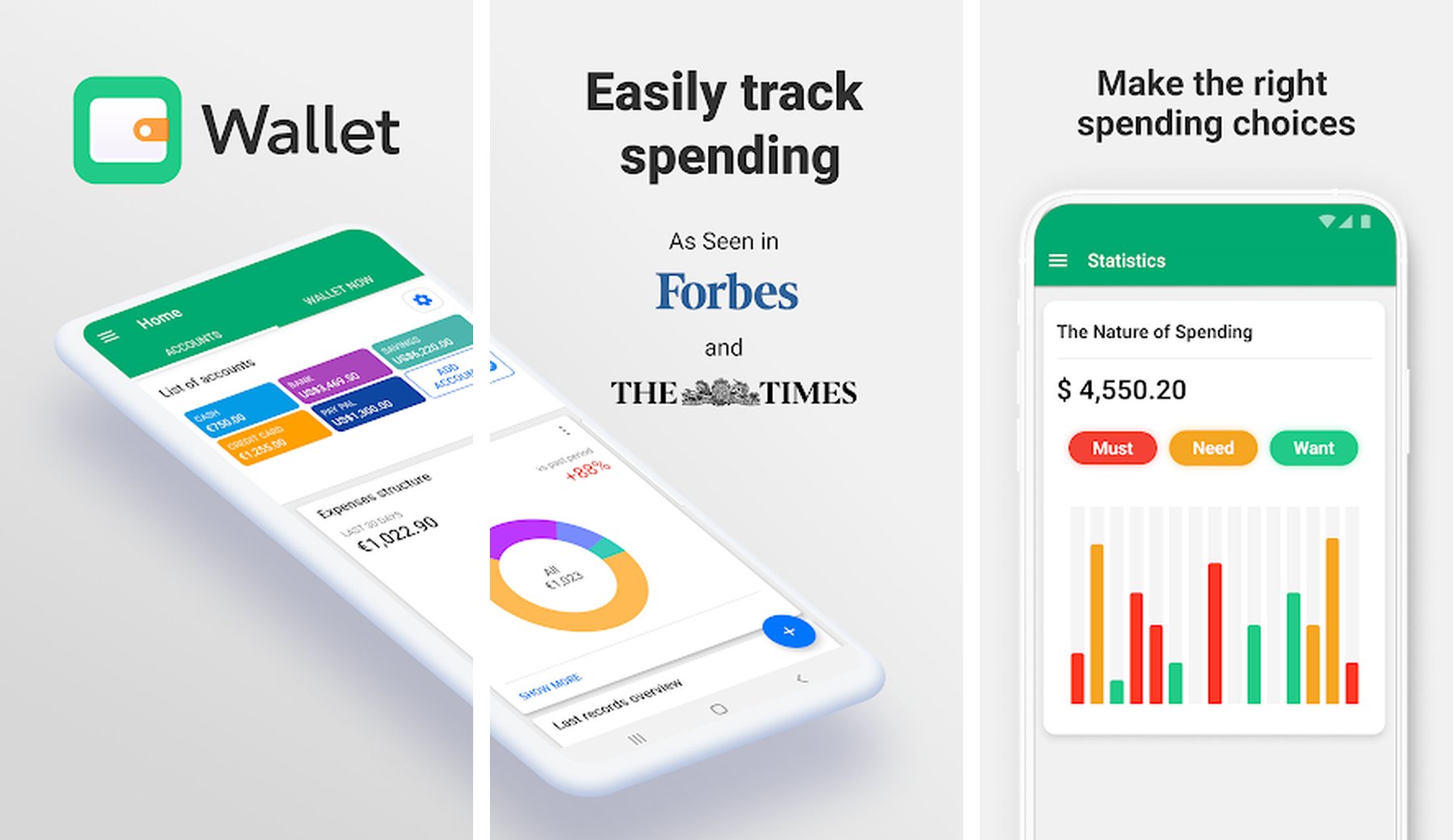
Wallet by BudgetBakers is one of the most comprehensive personal finance apps available for Android. With over 10 million downloads and a 4.6-star rating, it’s earned a reputation as the go-to choice for users who want deep financial visibility.
It goes well beyond expense logging — Wallet connects to your bank accounts, tracks debts and assets, and gives you a complete picture of your net worth alongside your daily spending.
Key Features
- Automatic bank account sync (premium) and manual entry
- Expense and income tracking with smart categories
- Budget planning with visual limit tracking
- Debt and loan management tools
- Net worth overview across all accounts
- Shared wallets for couples and families
- Detailed charts, reports, and financial trends
- Multi-currency support for international users
Why Wallet Stands Out
Wallet’s strongest differentiator is its connected finance ecosystem. Rather than tracking just your cash spending, it gives you a single dashboard for your complete financial life — checking accounts, savings, credit cards, loans, and investments.
For users who want to graduate from simple expense logging to full financial management, Wallet is the most capable free-to-start option on Android.
Best For
- Users who want bank sync and automatic import
- People managing multiple accounts or currencies
- Couples or families tracking shared budgets
3. Budget App & Tracker: Spendee
Google Play: Download Spendee
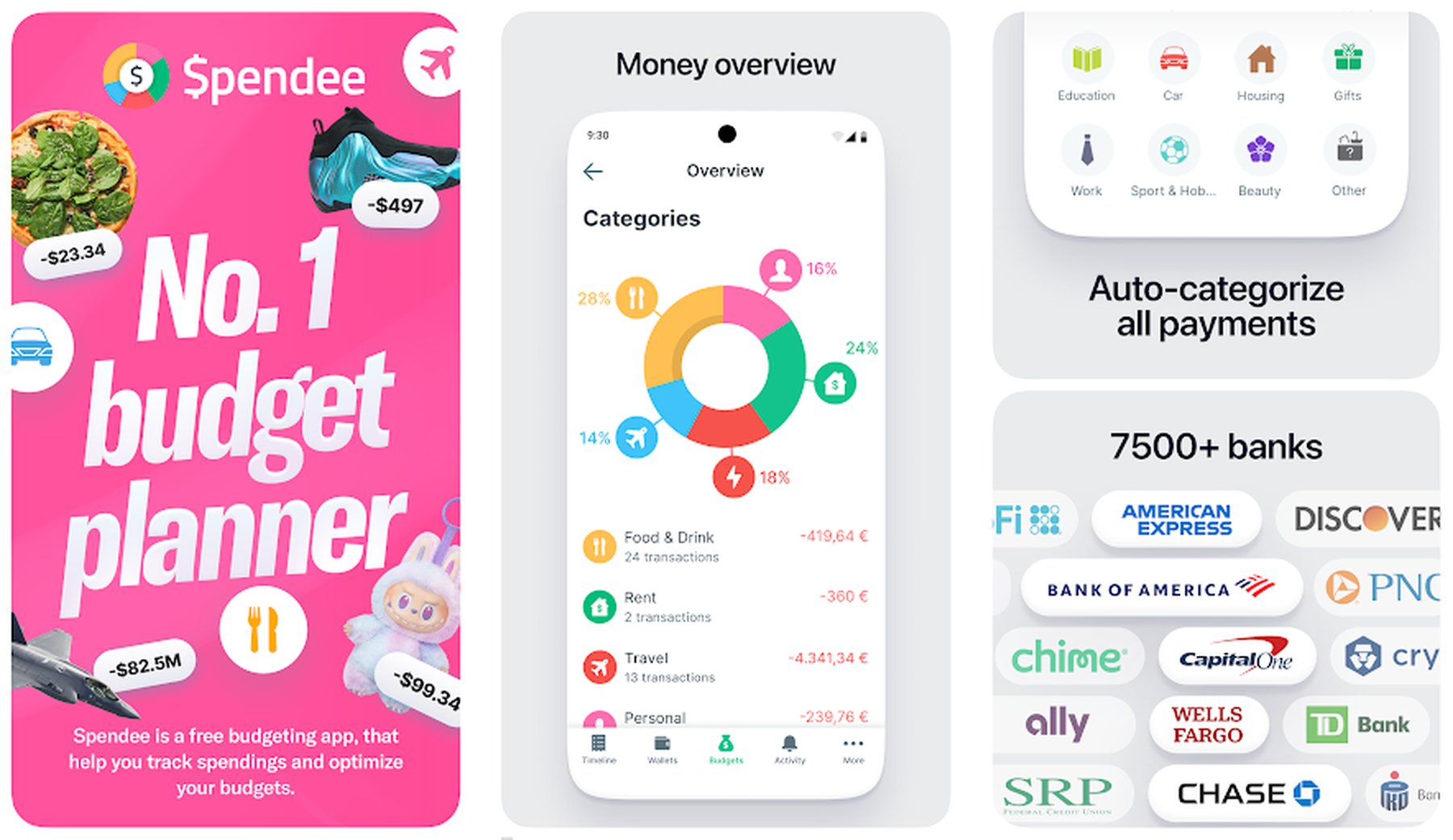
Spendee is one of the best-looking expense tracker apps on Android, combining beautiful visual design with a smart feature set that makes understanding your spending genuinely enjoyable.
With over 1 million downloads and a 4.3-star rating, Spendee has built a loyal following among users who want both clarity and aesthetics in their financial tools.
Key Features
- Visually rich spending dashboards and category breakdowns
- Bank account and e-wallet connections (premium)
- Smart budget creation with real-time tracking
- Shared wallets for collaborative budgeting
- Recurring expense detection and bill reminders
- Custom categories with color coding and icons
- Multi-currency support
- Detailed monthly and annual reports
Why Spendee Stands Out
Spendee’s biggest advantage is how easy it makes data interpretation. Other apps show you numbers — Spendee shows you numbers in a way that instantly communicates whether you’re on track or overspending.
The app’s colorful charts, category summaries, and visual budget rings make financial awareness feel intuitive rather than tedious, which matters a lot for building consistent tracking habits.
Best For
- Users who want a visually polished Android budget app
- People who find traditional finance apps dull or hard to read
- Anyone who tracks expenses across multiple currencies
4. Money Manager Expense & Budget
Google Play: Download Money Manager
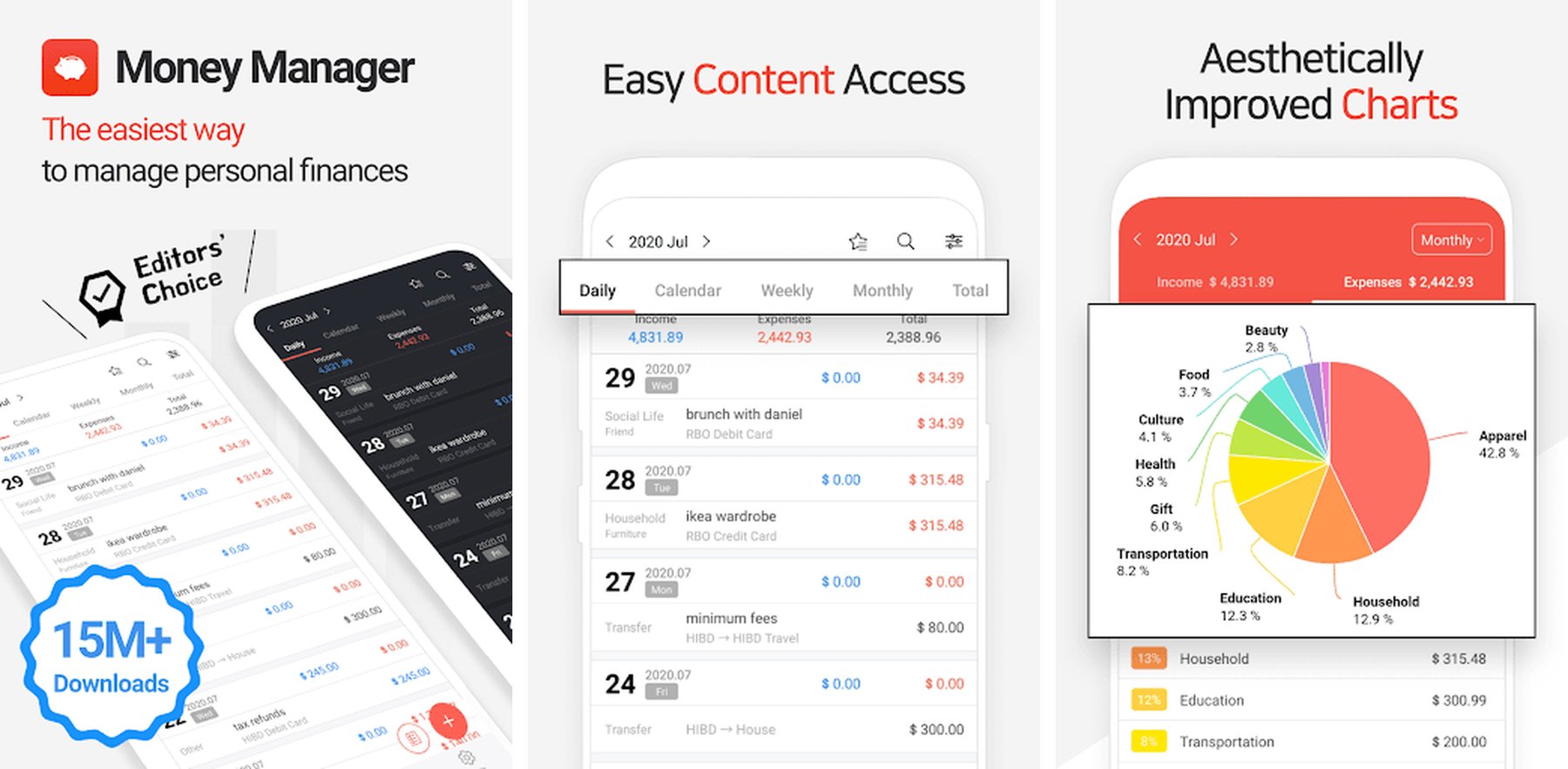
Money Manager is one of the most downloaded personal finance apps on Android, with over 10 million installs and a 4.6-star rating — making it one of the highest-rated budget apps available.
It offers a double-entry accounting approach that gives you precise control over every transaction, making it especially popular with users who take their financial tracking seriously.
Key Features
- Double-entry bookkeeping for precise expense tracking
- Income and expense logging with detailed categorization
- Multiple account management (cash, card, savings)
- Budget setting with real-time monitoring
- Detailed statistical reports and spending analysis
- Passcode lock for privacy
- PC sync via web viewer
- Completely free with no mandatory subscription
Why Money Manager Stands Out
Money Manager is one of the few apps that offers true double-entry accounting for free — the same method professional accountants use. Every transaction records both where money came from and where it went, giving you airtight financial records.
The PC sync and web viewer add a dimension most mobile-only apps lack, letting you review and export your data from a computer for deeper analysis.
Best For
- Detail-oriented users who want precise financial records
- People who prefer no subscription on a powerful free app
- Users who want PC access alongside their Android app
5. Monefy — Budget & Expenses App
Google Play: Download Monefy
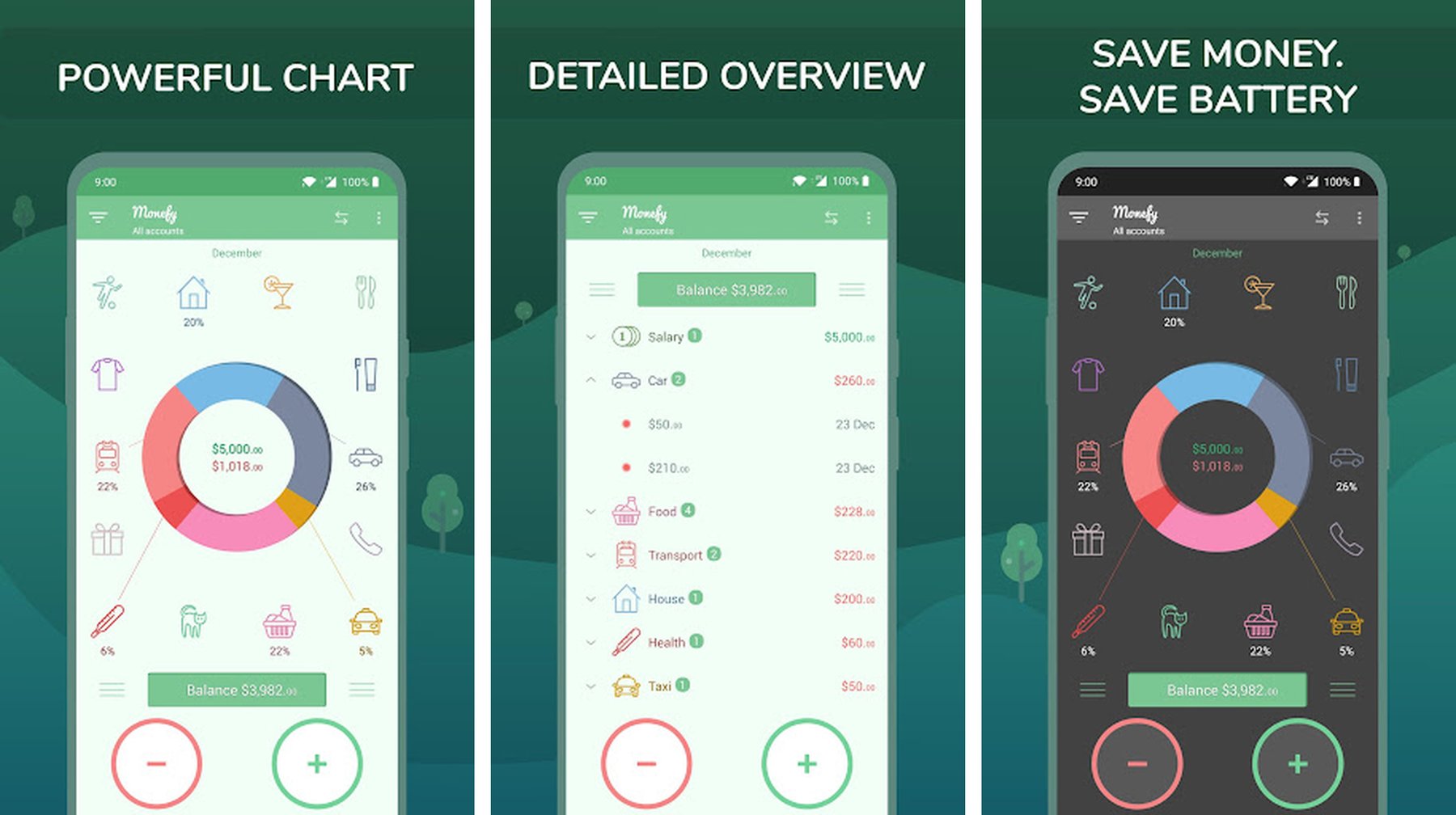
Monefy takes a completely different approach to expense tracking — it’s built around a visual pie chart interface where adding an expense is as simple as tapping a category slice and entering an amount.
With over 10 million downloads, Monefy has proven that sometimes the simplest interface is the most effective one. If you’ve bounced off complicated finance apps before, Monefy’s one-screen design might be exactly what you need.
Key Features
- Instant expense logging via visual category wheel
- Real-time pie chart showing spending breakdown
- Budget limits with visual alerts
- Multiple account support (cash, card, savings)
- Passcode protection for privacy
- Data sync across devices via Dropbox or Google Drive
- Simple and fast — no account or setup required
- Offline-first with no internet dependency
Why Monefy Stands Out
Monefy’s entire design philosophy is speed and simplicity. You can log an expense in under three seconds — category tap, amount entry, done. There’s no tagging, no notes, no sub-categories to navigate.
For people who have tried and abandoned more complex trackers, Monefy’s friction-free approach makes it far easier to build and keep a daily logging habit.
Best For
- Users who want the fastest expense logging experience
- People who abandoned complicated finance apps in the past
- Anyone who prefers a visual overview over detailed lists
How to Choose the Best Expense Tracker App for Android
The right app depends on how you naturally think about money — and how much friction you can tolerate.
Choose BudgetIt if you want
- A clean, minimal tracker you’ll actually use daily
- Fast one-tap expense logging with category budgets
- No learning curve — just open and start tracking
Choose Wallet if you want
- Bank sync and automatic transaction import
- A complete picture of your finances across all accounts
- Shared budgets for families or partners
Choose Spendee if you want
- Beautiful visual design that makes data easy to read
- Smart spending dashboards and category reports
- A polished experience on par with premium apps
Choose Money Manager if you want
- Precise double-entry bookkeeping at no cost
- PC sync and web access alongside your Android device
- Complete control over every transaction record
Choose Monefy if you want
- The absolute fastest expense logging on Android
- A single-screen visual budget you can read at a glance
- Simplicity over features — no frills, no subscriptions
Tips to Build a Consistent Expense Tracking Habit
Even the best expense tracker app only works if you use it. Here’s how to make tracking stick.
Log Expenses Immediately
The biggest mistake new trackers make is saving receipts to “log later.” Later never comes.
Log each expense as it happens — right after you pay. It takes five seconds and keeps your data accurate. All the apps on this list are designed for this — fast entry, minimal steps.
Start With Three Categories
Trying to track 20 spending categories from day one is overwhelming. Start with the three that matter most to your budget:
- Food & dining
- Transport
- Shopping
Add more categories as tracking becomes automatic.
Review Weekly, Not Daily
Daily reviews create anxiety. A short weekly review — 5 minutes on Sunday — is enough to spot trends, catch surprises, and adjust your budget for the week ahead.
Most apps on this list have a weekly summary view built in.
Set a Category Budget Before the Month Starts
Tracking without budgets tells you what happened. Budgets tell you what should happen — and alert you before you overspend.
Set a realistic monthly limit for your top three spending categories and let your app track you against it.
Final Thoughts
Expense tracking is the foundation of any financial improvement. You don’t need to be an accountant or follow a strict budget — you just need to know where your money goes so you can make informed choices.
If you’re looking for the best expense tracker apps for Android, here’s the quick summary:
- BudgetIt – Clean, minimal tracker built for daily use
- Wallet – Full-featured finance hub with bank sync
- Spendee – Beautifully designed visual budget tracker
- Money Manager – Powerful double-entry bookkeeping, free
- Monefy – Fastest and simplest expense logging on Android
Each one takes a different approach — the best choice is the one that matches how you naturally think about money.
Start tracking, review weekly, and watch your financial awareness transform your spending habits.
Ready to take control of your spending today?
Try BudgetIt — Expense Tracker & Budget Planner and start understanding your money in minutes — no setup, no account, no complexity.