Your iPhone is with you everywhere — at the gym, on your commute, winding down before bed. That constant presence makes it the perfect platform for a journaling habit, especially when your journal has an AI behind it that can respond, reflect, and help you make sense of your thoughts in real time.
The best AI journal apps for iPhone don’t just store your words — they actively engage with them. They ask smart follow-up questions, surface emotional patterns across your entries, and help you understand yourself in ways that plain note-taking never could.
Mental health researchers consistently point to reflective journaling as one of the most evidence-backed tools for managing anxiety, improving self-awareness, and processing difficult emotions — and AI makes the practice more accessible and rewarding than ever.
In this guide, we’ll cover the best AI journal apps for iOS, from beautifully designed iPhone-native experiences to deeply intelligent AI companions that grow with you over time.
Why Use an AI Journal App on iPhone?
iPhone users have access to some of the most polished AI journal apps available — built specifically to take advantage of iOS features like widgets, Siri shortcuts, and seamless iCloud sync.
A great AI journal app for iPhone helps you:
- Reflect more deeply with AI-generated prompts tailored to what you’ve written
- Track mood and emotional patterns over weeks and months
- Build a journaling habit with smart reminders and streak tracking
- Search and revisit past entries with conversational AI
- Capture thoughts quickly through voice dictation right from your iPhone
The best AI journaling apps on iOS are designed for the way iPhone users actually live — fast, visual, and always at hand.
You can use them for:
- Morning mindfulness and intention setting
- Processing a hard day or stressful situation
- Gratitude journaling and mood tracking
- Goal reflection and weekly reviews
- Voice journaling while commuting or walking
Now let’s explore the top AI journal apps for iPhone.
Top 5 Best AI Journal Apps for iPhone
1. DiaryIt — AI Journal & Clarity

App Store: Download DiaryIt
DiaryIt is an AI-powered journal that actually writes back — making it one of the most genuinely interactive AI journal apps on the App Store. While most journaling apps treat your entries as text to be stored, DiaryIt treats them as the start of a conversation. Write a few lines, and the AI responds with thoughtful follow-up questions, emotional reflections, and insights designed to help you understand what you’re actually thinking and feeling.
The focus on clarity is what makes DiaryIt stand apart from other AI journaling apps for iPhone. It doesn’t try to be a therapist or a productivity system — it’s a space where you write, and the AI helps you think more clearly about what you’ve written. Whether you’re untangling a difficult emotion, exploring a goal, or just documenting your day, DiaryIt makes every entry more insightful than you could manage alone.
Key Features
- Conversational AI that responds to every journal entry
- Voice journaling — speak your thoughts, DiaryIt listens
- Mood and emotional pattern tracking over time
- Personalized prompts based on your journaling history
- Clean, minimal iPhone-native design
- Fully private — your entries are never used to train AI
Why DiaryIt Stands Out
The two-way conversation model is rare in AI journal apps, and DiaryIt does it better than almost anyone. Instead of passively logging your thoughts, DiaryIt actively engages with them — asking the one follow-up question you didn’t think to ask yourself. Over time, this builds a richer picture of your inner life than any passive diary ever could.
- Journaling that responds and evolves with each entry
- Voice input makes it frictionless for busy iPhone users
- Privacy-first — no ad targeting, no data selling
Best For
- People who want the most interactive AI journal app on iPhone
- iPhone users who prefer voice journaling over typing
- Anyone who wants emotional clarity, not just a diary
2. Reflectr — AI Journal & Private Diary
App Store: Download Reflectr
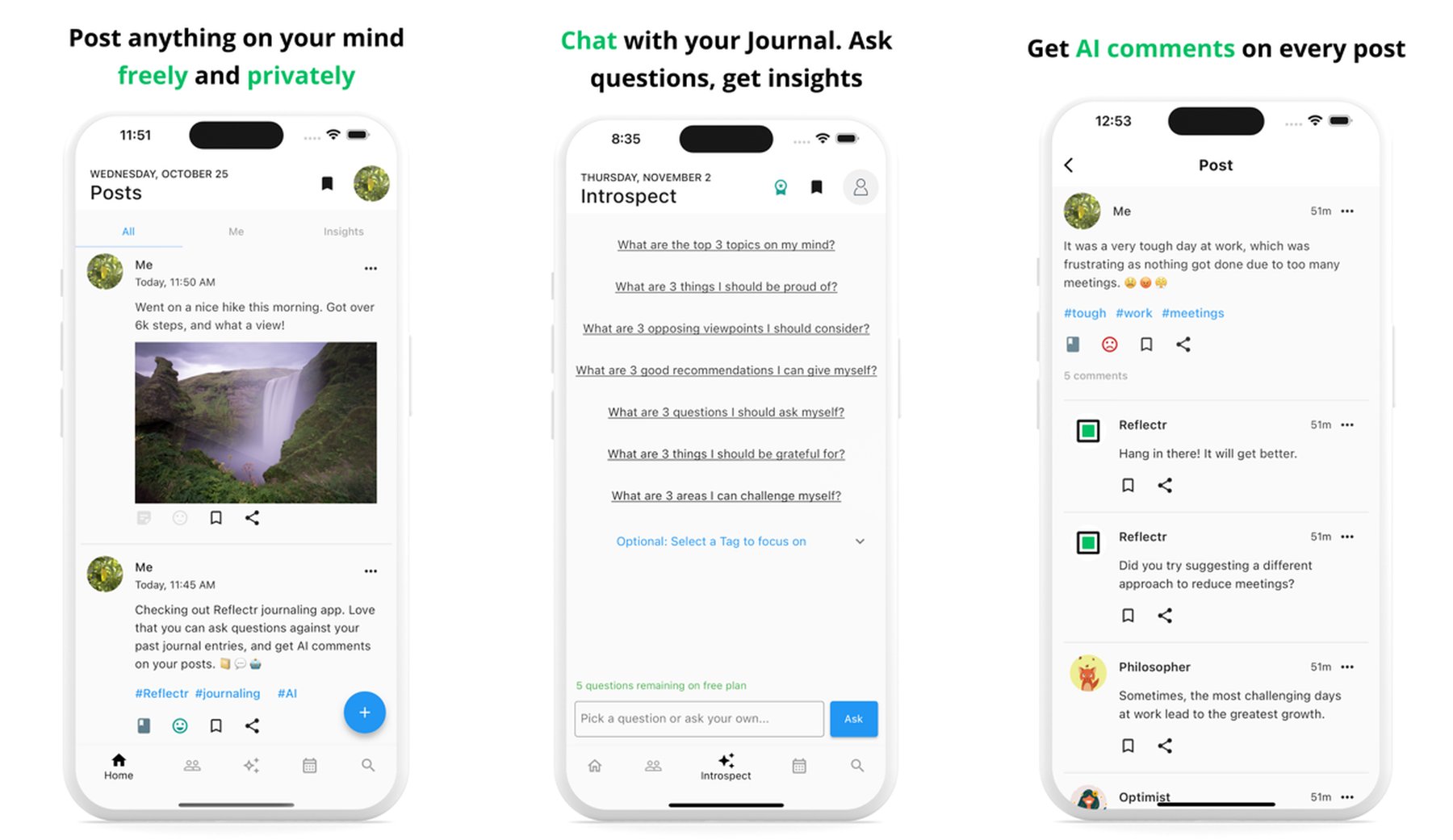
Reflectr is a privacy-first AI journal app that keeps everything on your device — no cloud syncing, no account required, and fully encrypted with Face ID or passcode lock. For iPhone users who want the benefits of an AI journaling app without surrendering their private thoughts to a server, Reflectr is the strongest option available.
Beyond privacy, Reflectr’s AI companion chat makes journaling feel conversational. You write a brief entry, and the AI responds with reflective questions and observations, helping you explore your thoughts more deeply. The app also has multiple AI personalities you can choose from, making the journaling experience feel more personal and less robotic.
Key Features
- 100% on-device — nothing leaves your iPhone
- Face ID and passcode lock for maximum privacy
- AI companion with multiple personality modes
- Chat with your past journal entries via AI search
- Micro-journaling format for quick daily check-ins
- Available fully offline — no Wi-Fi required
Why Reflectr Stands Out
In an era where every app wants your data, Reflectr’s on-device-only architecture is genuinely unusual and genuinely valuable. Your journal is the most private thing you have — Reflectr keeps it that way while still delivering a rich AI journaling experience that most cloud-based apps can’t match.
Best For
- Privacy-focused users who want on-device AI journaling
- People who journal in sensitive areas (mental health, relationships)
- Anyone who wants offline AI journal capability on iPhone
3. Reflectly — Journal & AI Diary
App Store: Download Reflectly
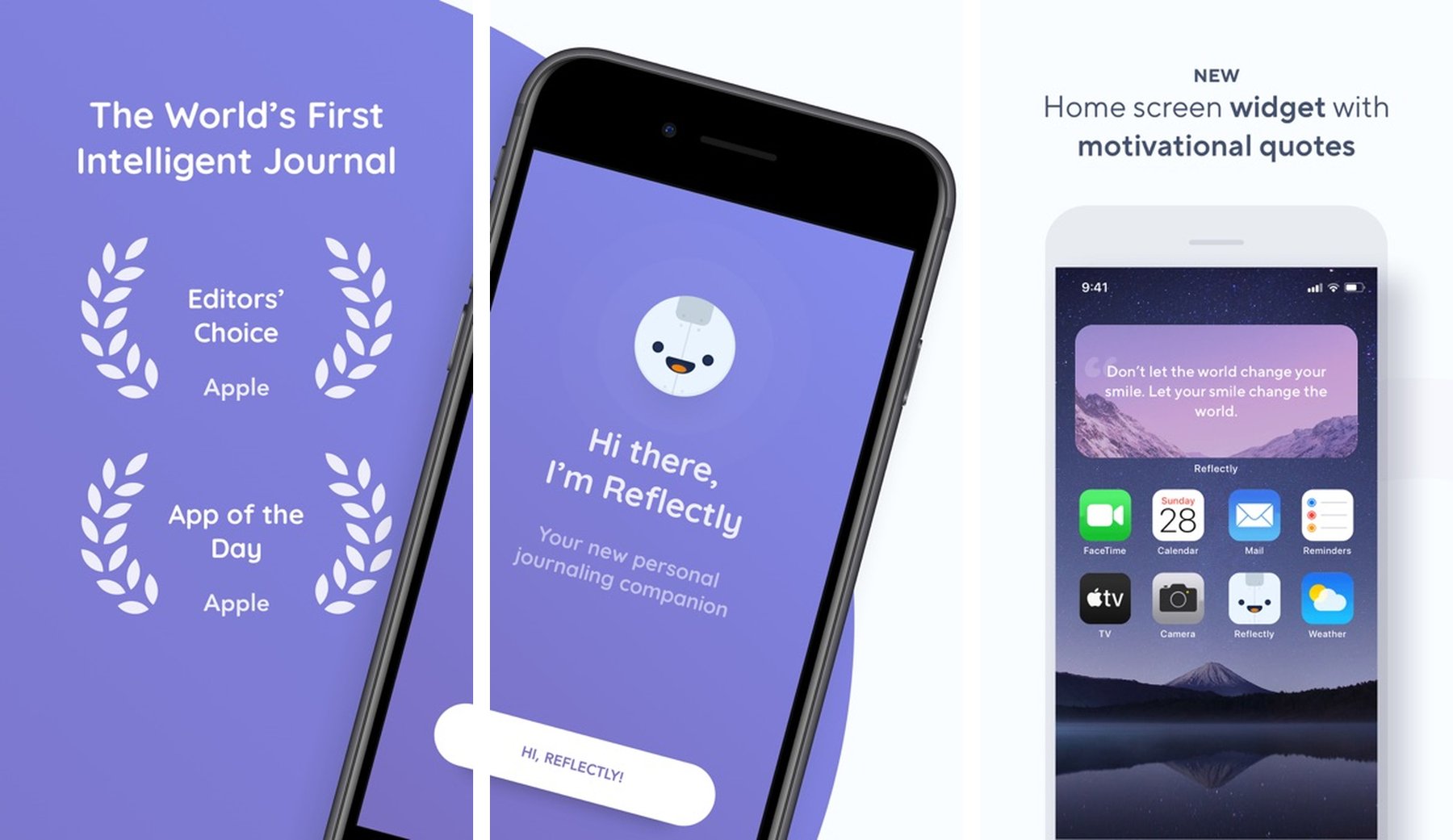
Reflectly is one of the most beautifully designed AI journal apps on the iPhone App Store, with a 4.6-star rating and a dedicated following among mindfulness and self-improvement communities. The app combines AI-guided journaling with a stunning visual design that makes opening your journal feel like an experience worth anticipating.
At the heart of Reflectly is an AI that guides your daily reflection through structured prompts — asking about your mood, what’s on your mind, what you’re grateful for, and what you want to focus on. It’s less of a freeform AI companion and more of a daily mindfulness ritual with intelligent structure built in, making it ideal for people who want consistency and routine in their journaling practice.
Key Features
- AI-guided daily journaling with mood tracking
- Beautiful, visually rich interface designed for iPhone
- Gratitude journaling with positive psychology techniques
- Weekly and monthly reflection summaries
- Personalized prompts based on your mood history
- Apple Watch companion app for quick check-ins
Why Reflectly Stands Out
The Apple Watch integration is a practical iOS-specific win — you can log your mood and a quick thought directly from your wrist, then expand on it later on your iPhone. For people who want a morning and evening journaling ritual with built-in structure and beautiful visuals, Reflectly is among the very best on iOS.
Best For
- iPhone users who value beautiful design in their AI journal app
- People building a structured daily reflection ritual
- Anyone who wants Apple Watch journaling integration
4. Daybook — AI Journal & Diary
App Store: Download Daybook
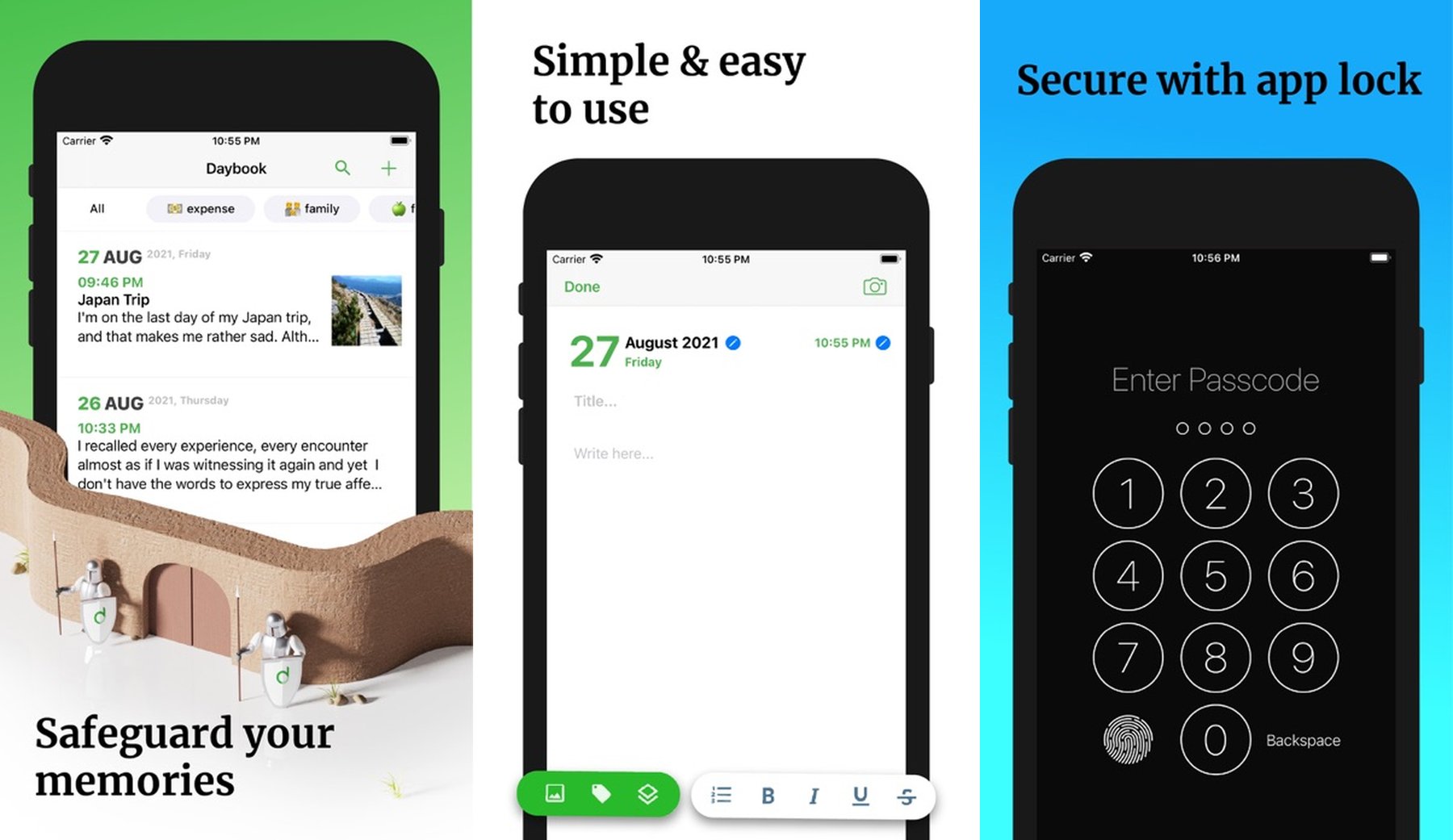
Daybook is a highly rated AI journal app for iPhone, with a 4.7-star rating and a clean, focused approach to daily journaling. It combines AI writing assistance with a traditional diary format — giving you the warmth of a personal journal with the intelligence of an AI that helps you express yourself more clearly and reflect more meaningfully.
What sets Daybook apart is its AI writing coach mode. When you start an entry and feel stuck, the AI can suggest how to continue your thought, ask prompting questions, or help you articulate something you’re struggling to put into words. It’s the most useful kind of AI assistance — available when you need it, invisible when you don’t.
Key Features
- AI writing coach that helps you articulate your thoughts
- Daily reminders with customizable journaling schedules
- Photo and media attachments for rich diary entries
- Mood tracker with visual history charts
- Password and biometric lock (Face ID / Touch ID)
- Rich text formatting and tagging for organized entries
Why Daybook Stands Out
The AI writing coach feature is underrated in the journaling world. Many people know what they want to say but struggle to find the words — especially when processing emotions. Daybook’s AI gently helps bridge that gap without taking over the entry. It’s assistance, not automation, and that balance makes for better, more authentic journaling.
Best For
- People who want AI writing help without losing their own voice
- iPhone users who want a traditional diary feel with modern AI
- Anyone who struggles with the “where do I even start?” blank page problem
5. AI Journal by KnownWell
App Store: Download KnownWell
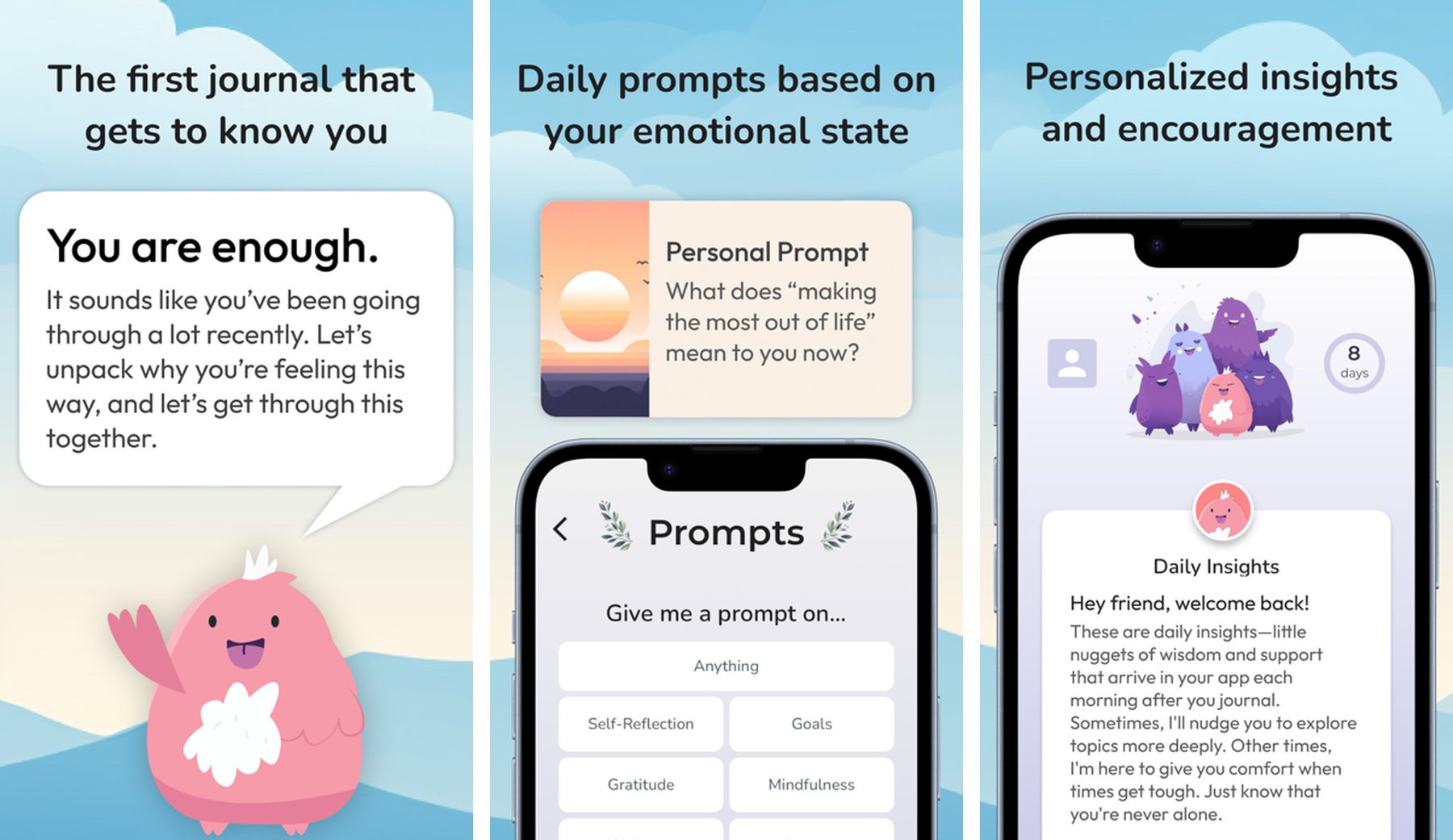
KnownWell is a top-rated AI journal app for iPhone with an impressive 4.9-star rating, built on the concept that the best way to understand yourself is to have a real conversation about your life. Instead of structured prompts or passive entry storage, KnownWell functions as an AI conversation partner that guides deep self-reflection through genuine dialogue.
The app’s AI is trained specifically for therapeutic-style introspection — asking the kinds of open-ended, probing questions that help you unpack complex emotions, challenge limiting beliefs, and gain perspective on recurring life patterns. For iPhone users who want journaling that goes beyond mood logging into genuine personal insight work, KnownWell delivers a uniquely powerful experience.
Key Features
- Conversational AI trained for deep self-reflection
- Guided journaling through open-ended therapeutic dialogue
- Pattern recognition across your conversation history
- Life areas tracking (relationships, work, health, growth)
- Private and secure — encrypted and on-device
- Simple, focused interface designed for deep thinking
Why KnownWell Stands Out
The conversation quality is what earns KnownWell its near-perfect rating. The AI doesn’t feel like a chatbot reading from a script — it asks follow-up questions that feel genuinely curious, notices contradictions in your thinking, and helps you arrive at insights through reflection rather than being told what to think. For an AI journal app, that’s rare and genuinely valuable.
Best For
- People who want the deepest AI-guided self-reflection available on iPhone
- Anyone using journaling for personal growth and insight work
- Users who want a therapeutic AI conversation, not just a diary
How to Choose the Best AI Journal App for iPhone
The right AI journal app for iOS depends on your journaling style and goals.
Choose DiaryIt if you want
- A conversational AI that writes back to every entry
- Voice journaling with intelligent AI responses
- The most interactive two-way journaling on iOS
Choose Reflectr if you want
- Complete privacy — fully on-device, no cloud sync
- AI journaling with Face ID lock and offline capability
- A secure space for your most personal reflections
Choose Reflectly if you want
- Beautiful visual design and a structured daily ritual
- Apple Watch integration for quick mood check-ins
- Guided prompts with positive psychology backing
Choose Daybook if you want
- An AI writing coach to help when you feel stuck
- A traditional diary feel with modern AI assistance
- Photo journals and rich media entries
Choose KnownWell if you want
- The deepest AI reflection experience on iPhone
- Therapeutic-style dialogue that challenges your thinking
- Pattern-level insights across your life areas
Tips for Building a Daily AI Journaling Habit on iPhone
Having the best AI journal app on your iPhone doesn’t matter if you don’t open it. Here’s how to make the habit stick.
Add It to Your Lock Screen
All major iOS AI journal apps support home screen and lock screen widgets.
Put a one-tap journal widget on your lock screen so the habit starts before you’ve even unlocked your phone. The fewer steps between you and the blank page, the more likely you’ll write.
Use Voice Journaling on the Go
The iPhone microphone turns AI journaling into a truly mobile habit.
Instead of waiting until you’re at a desk, journal on your commute, during a walk, or in the car. Apps like DiaryIt support full voice entry — speak your thoughts, and the AI responds when you’re ready to read.
Start with One Sentence
The hardest part of journaling is starting.
Every AI journal app on this list will take a single sentence and turn it into a meaningful reflection. You don’t need to write paragraphs — you need to start. Let the AI do the rest.
Review Weekly, Not Just Daily
Daily entries are valuable, but the real patterns emerge over time.
Once a week, spend five minutes reviewing what your AI journal has noticed about your mood, themes, or recurring thoughts. This is where AI journaling apps genuinely outpace paper diaries — the AI remembers everything and can surface insights you’d miss on your own.
Final Thoughts
AI journal apps for iPhone have turned journaling from a solitary practice into an interactive conversation about your own life. The best apps don’t just listen — they respond, reflect, and help you understand yourself more deeply with every entry.
The best AI journal apps for iOS in 2026:
- DiaryIt — Most interactive AI journal that responds to every entry
- Reflectr — Fully private, on-device AI journaling with encryption
- Reflectly — Beautiful design with Apple Watch integration
- Daybook — AI writing coach for when you feel stuck
- KnownWell — Deepest AI reflection and therapeutic dialogue
Each takes a different approach to AI journaling on iPhone — pick the one that fits how you think and how you want to grow.
Open your AI journal app tonight, write one sentence, and see where the conversation takes you.
Ready for an AI journal that actually talks back?
Try DiaryIt — the AI journal app for iPhone that turns every entry into a step toward clarity, one conversation at a time.